A bank SMS arrives
You pay by UPI or swipe a card. Your bank sends its usual alert, just like today.
VM-KOTAKB · 9:12 AM
Sent Rs.1,250.00 from Kotak Bank AC X4470 to ZEPTO on 28-09-26. UPI Ref 426598114420.
Nimbu reads the transaction SMS your bank already sends and turns every UPI payment and card swipe into a tidy, categorised entry, right on your phone. No sign-up. No servers. No typing.
Recognises alerts from 30+ banks in India
Your bank already texts you every time money moves. Nimbu reads those alerts and does the bookkeeping for you.
You pay by UPI or swipe a card. Your bank sends its usual alert, just like today.
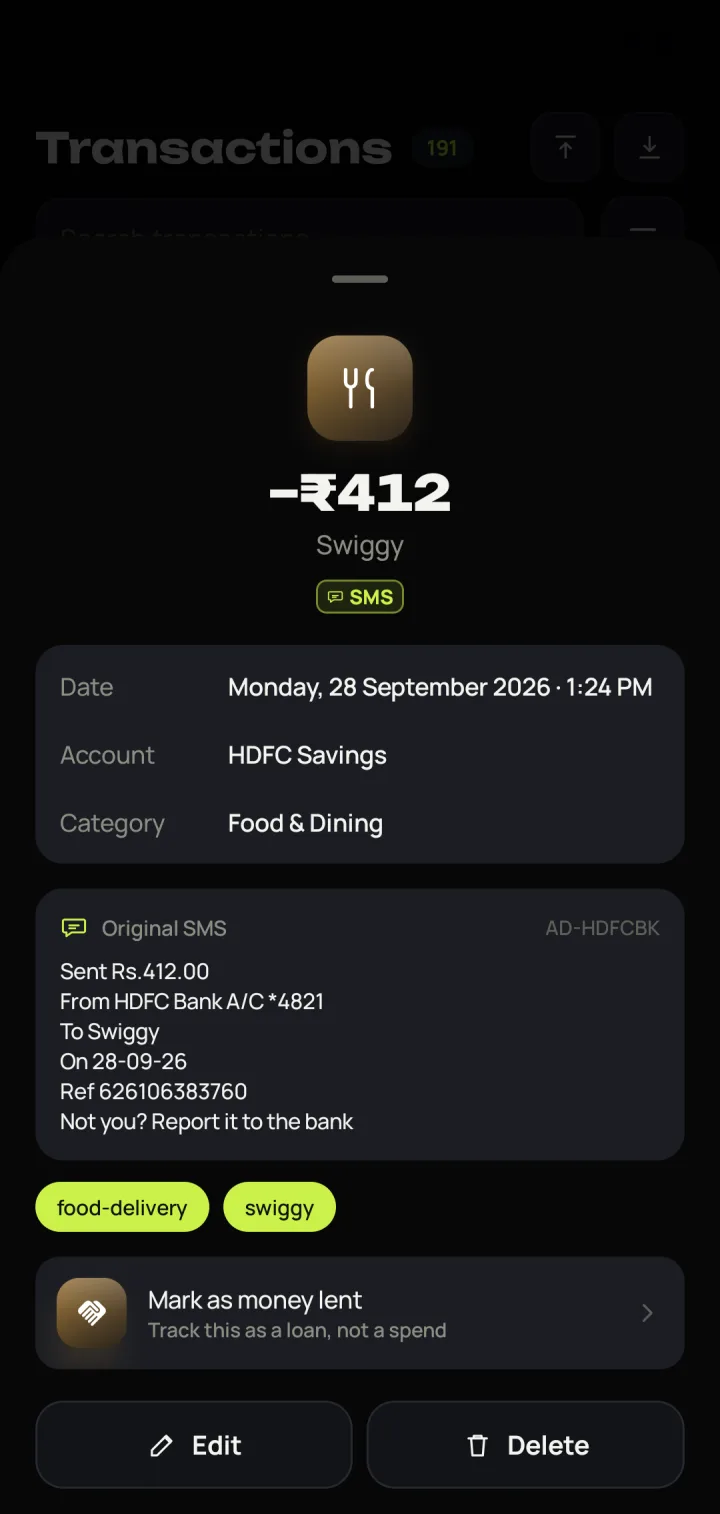
It picks out the amount, account, merchant and date. It all happens on the device.
Category, account and tags filled in. A quick review notification lets you change anything.
Auto-capture is only the start. Nimbu covers budgets, bills, investments and loans, and backs it all up.
Every captured spend shows a notification with your most-used categories as buttons. Pick one, add a note, or ignore it. If you do nothing, it's saved on its own.
Paid in cash? Tap the mic and say what happened. Nimbu fills in the amount, category and account, and you confirm.
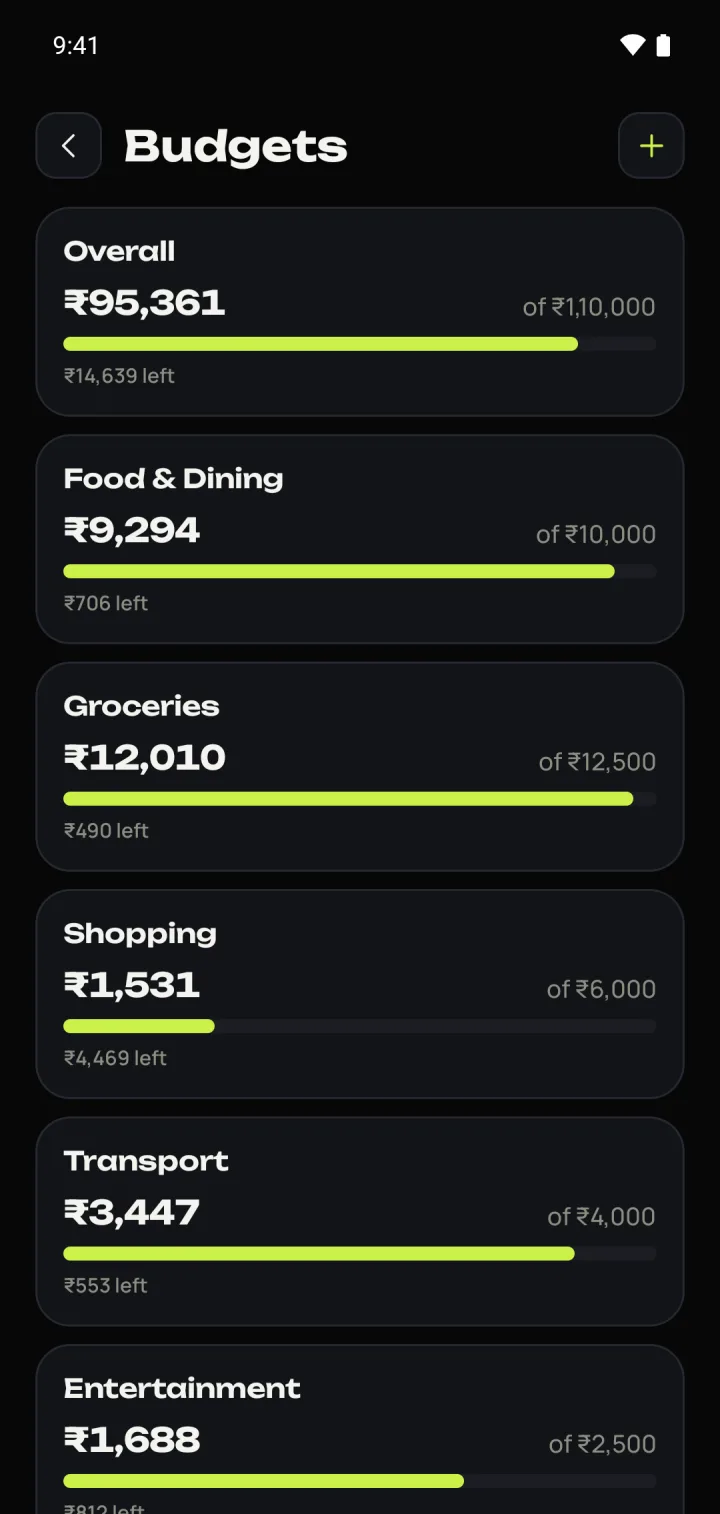
Set a monthly limit overall or for each category. Nimbu tells you where you'll end up at your current pace.
Rent, subscriptions and SIPs are logged by themselves when they're due, so the month always adds up.
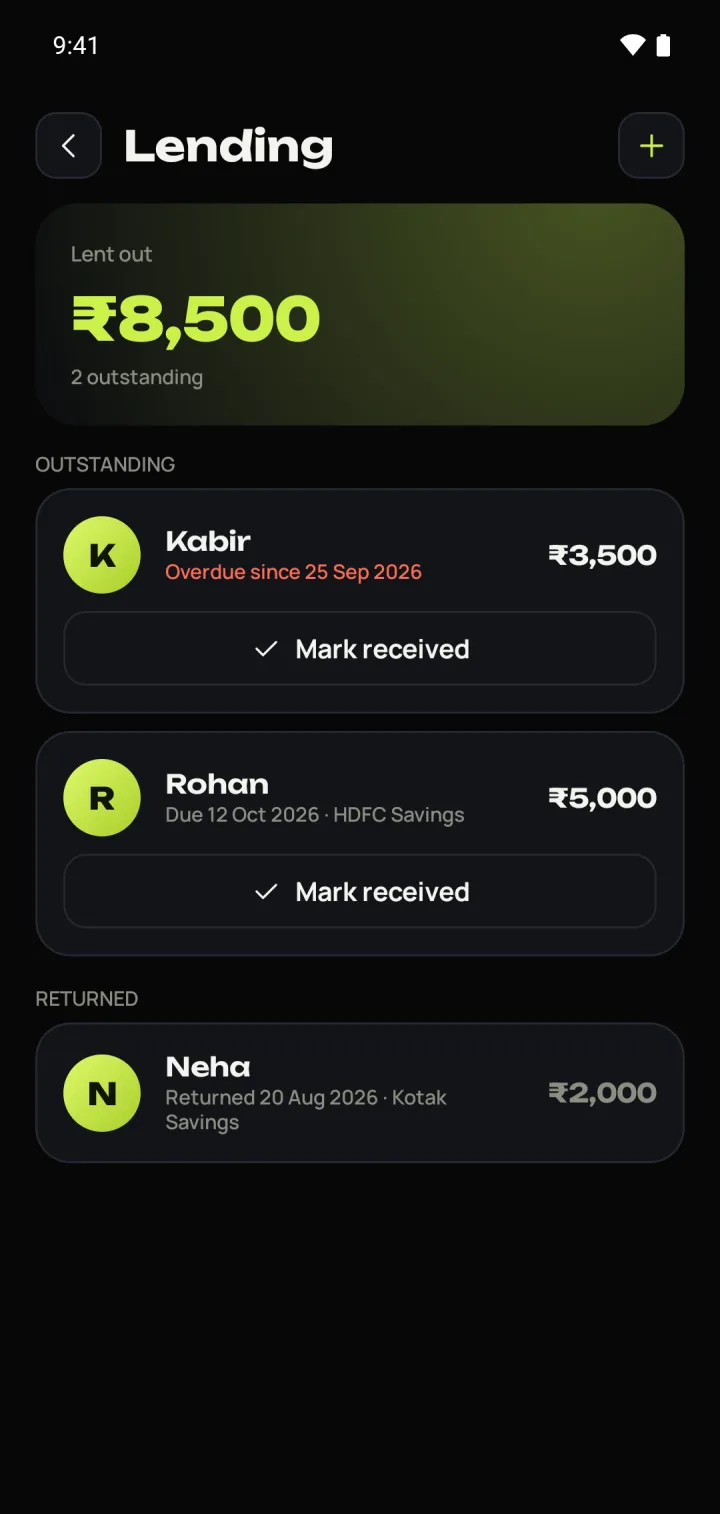
Record what you lend and when you expect it back. Nimbu reminds you after the due date and clears it when it's repaid.
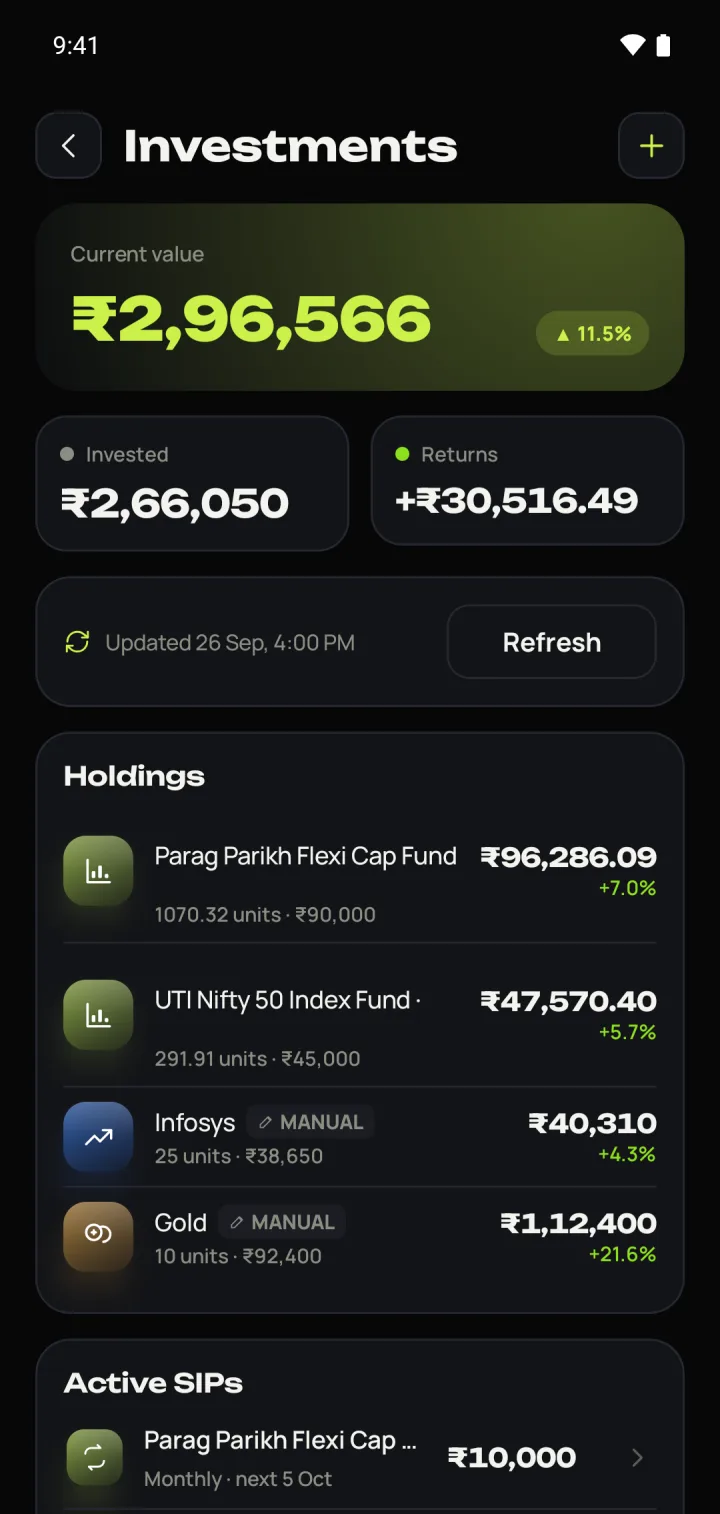
Search any mutual fund by name and Nimbu updates its value from AMFI's daily NAV. Crypto uses live prices; add stocks and gold by hand. SIP instalments are logged when they're due.
Balance, spending, income and a category donut, visible without opening the app.
Tag a trip or a project, then filter by date, category, account, tag or amount. Search even matches amounts like “4,660”. Common merchants such as Zepto, Swiggy and Uber are tagged for you.
Export any filtered list as a PDF report with charts, an Excel sheet or a CSV. You can also bring in an old bank statement or spreadsheet; duplicates are skipped.
Pick a week, month, year or your own dates. Nimbu compares it with the same days last period and tells you, in plain words, what changed.
Dark by default, with a light theme too. Every screen shows you what matters first.
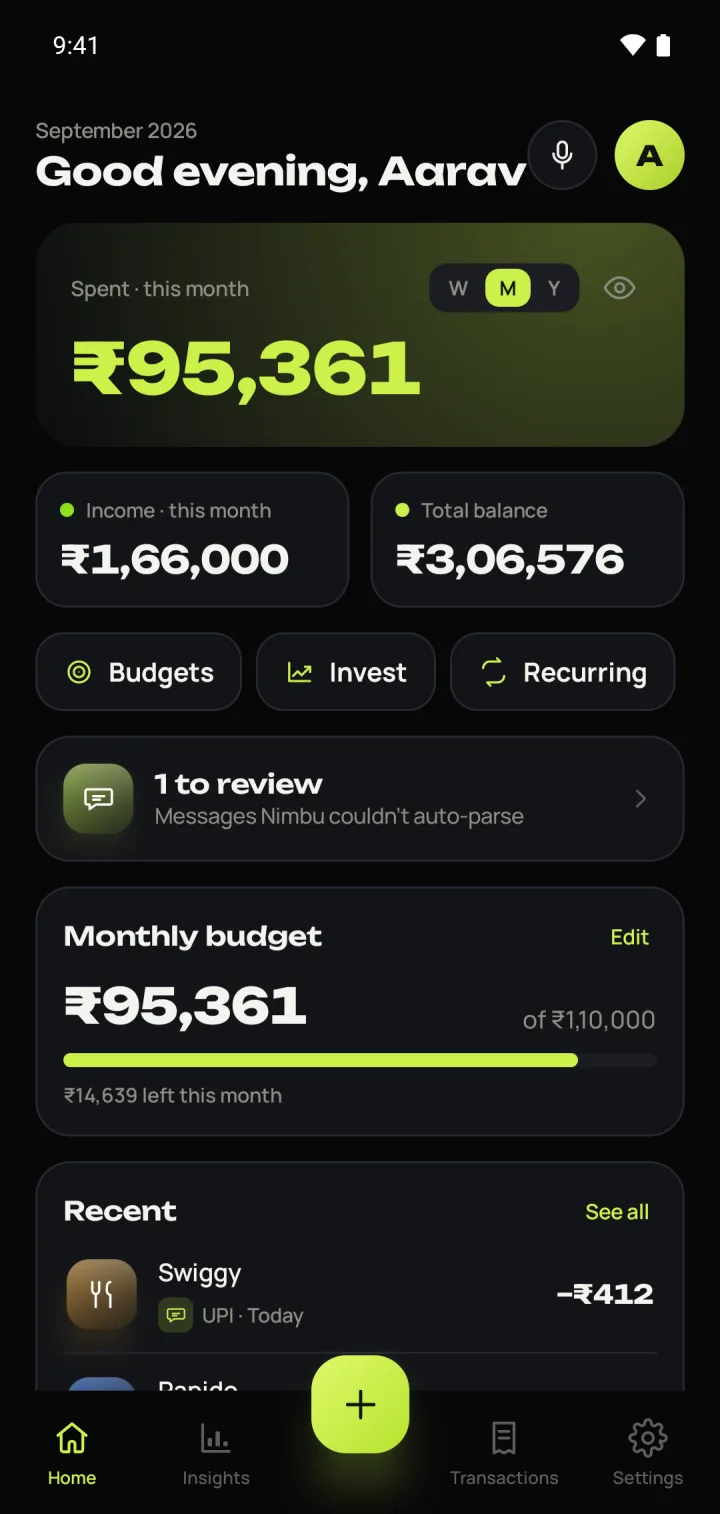
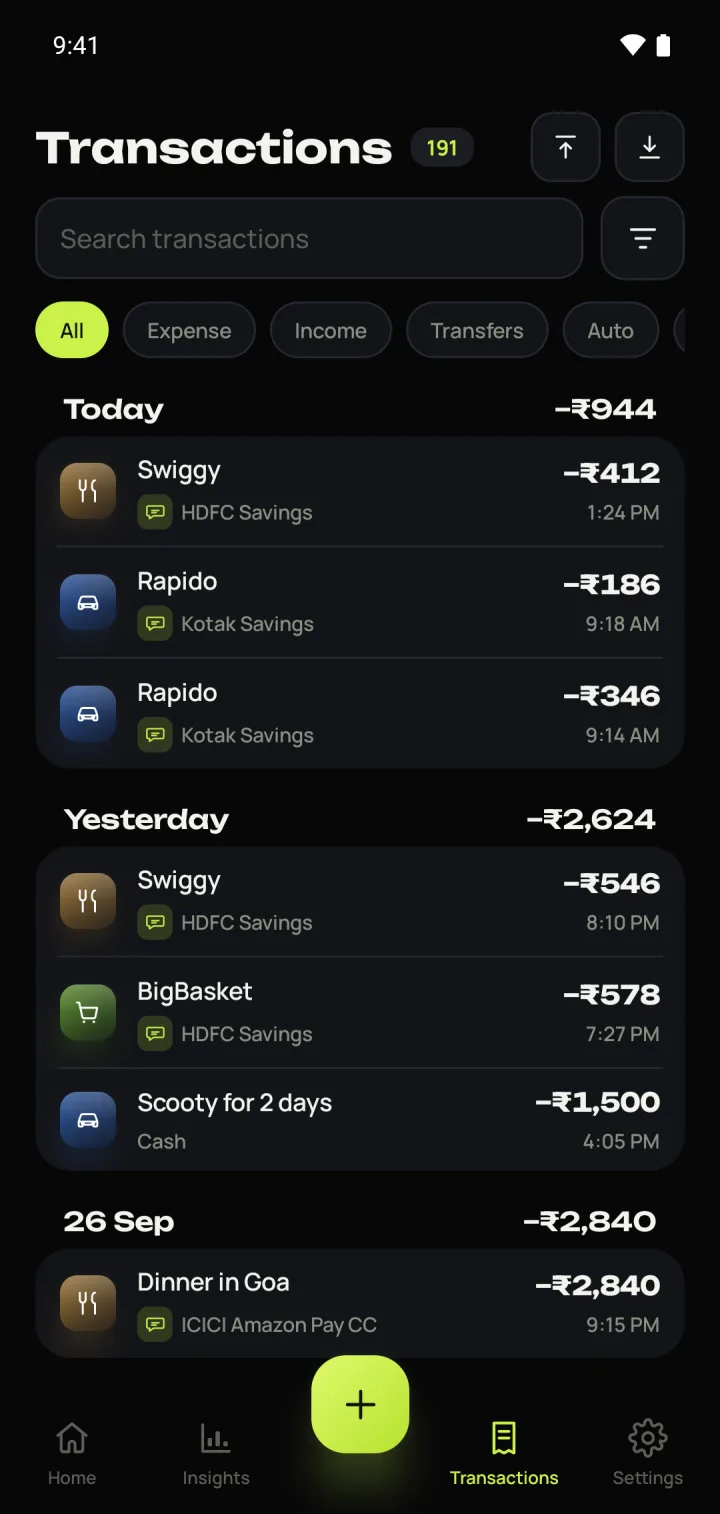
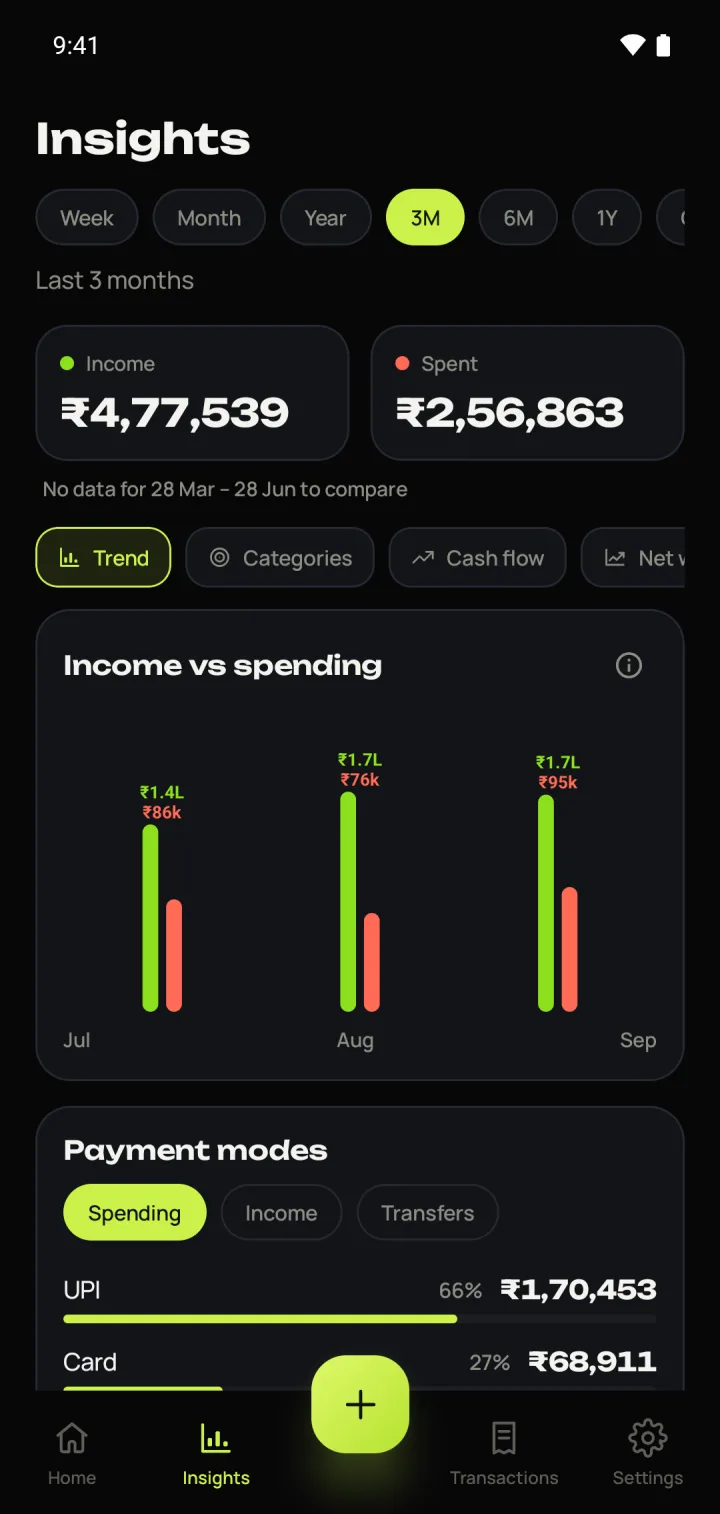
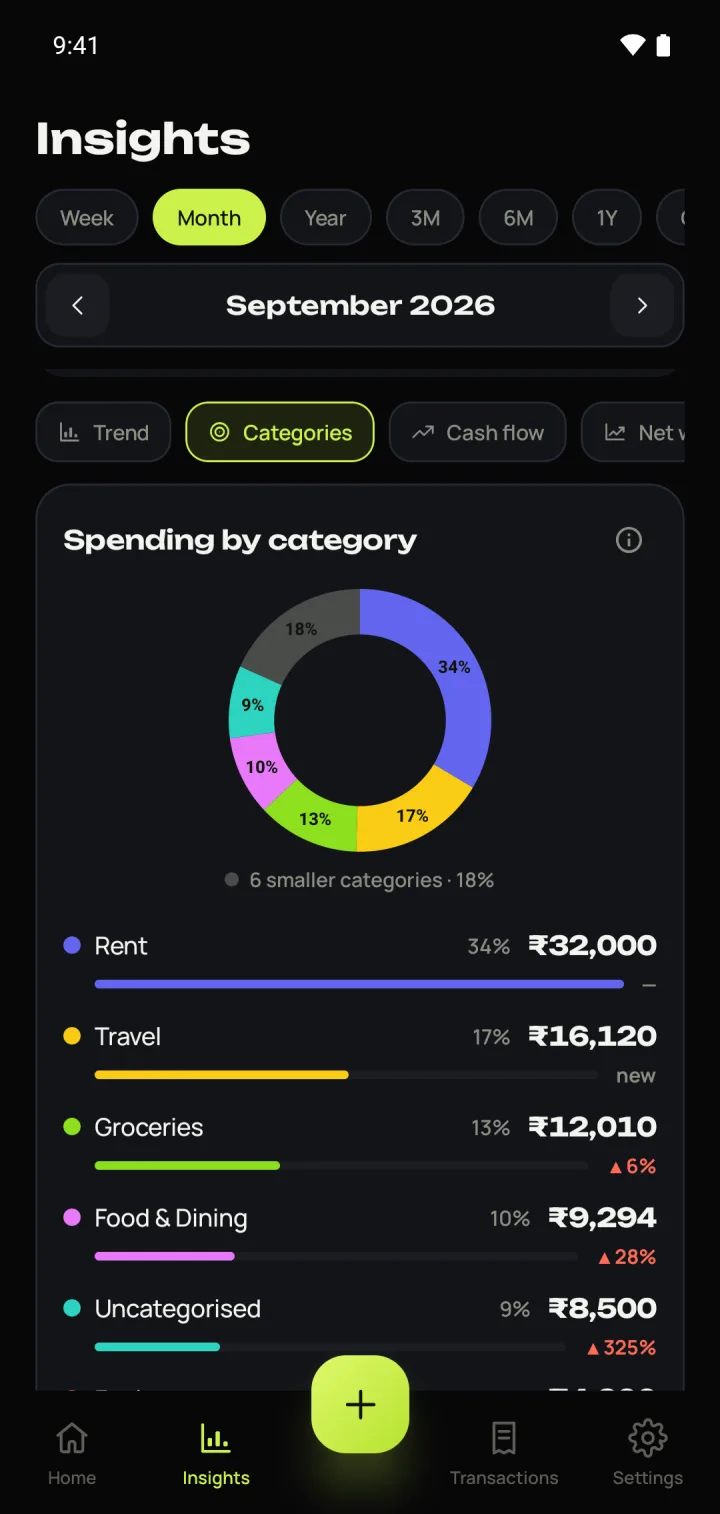
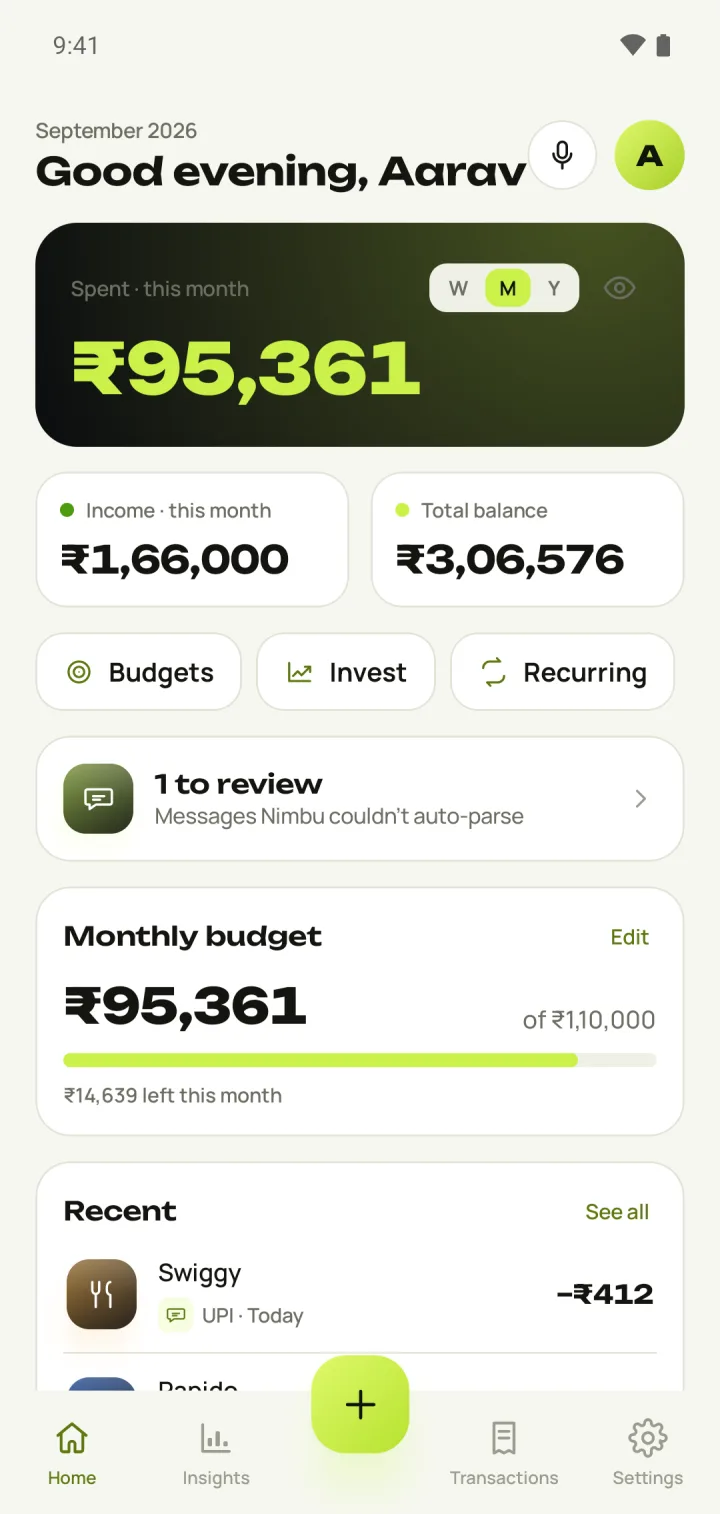
There's no Nimbu server and no account to create. Your transactions are stored in the app on your phone, and nowhere else unless you choose to back them up.
Your bank sends an SMS for every UPI payment, card swipe and credit. Once you turn on Auto-capture, Nimbu reads those alerts on your phone and adds each one as a transaction. You can also import past messages for a period you choose; you review everything before it's saved.
More than 30 banks in India, including HDFC, ICICI, SBI, Axis, Kotak, PNB, AU, Bank of Baroda, Yes Bank and IndusInd. If a message isn't recognised, paste it into Nimbu once and it learns that format for next time.
No. There's no Nimbu server and no account. Your data stays in the app on your phone. It only leaves if you back it up, either to a file you save or to your own Google Drive, and those backups are encrypted with your password. Read the privacy policy for details.
Three things: downloading daily mutual fund NAVs from AMFI, fetching crypto prices from CoinGecko, and Google Drive backups if you turn them on. There are no ads and no analytics.
Back up to a file or to Google Drive, install Nimbu on the new phone and choose “I have a backup”. Transactions, accounts, budgets, investments, receipts and settings all come back. You'll need your backup password; without it, the backup can't be opened.
Yes. Tap + to add one by hand, use the mic to say it out loud, or import a CSV or Excel file. You can attach a receipt photo or PDF to any transaction.
Not at the moment. Nimbu is Android-only because iOS doesn't let apps read SMS, which is what makes auto-capture possible.
Nimbu is coming soon to Google Play. Drop us a line and we'll let you know the day it's live.